

I recently deployed a project that I started during Christmas break: a full-stack cloud based simulation platform. It was a fun exercise exploring a topic I’ve always found fascinating while diving into the deep end building a large and fairly complex system using AI-driven development.
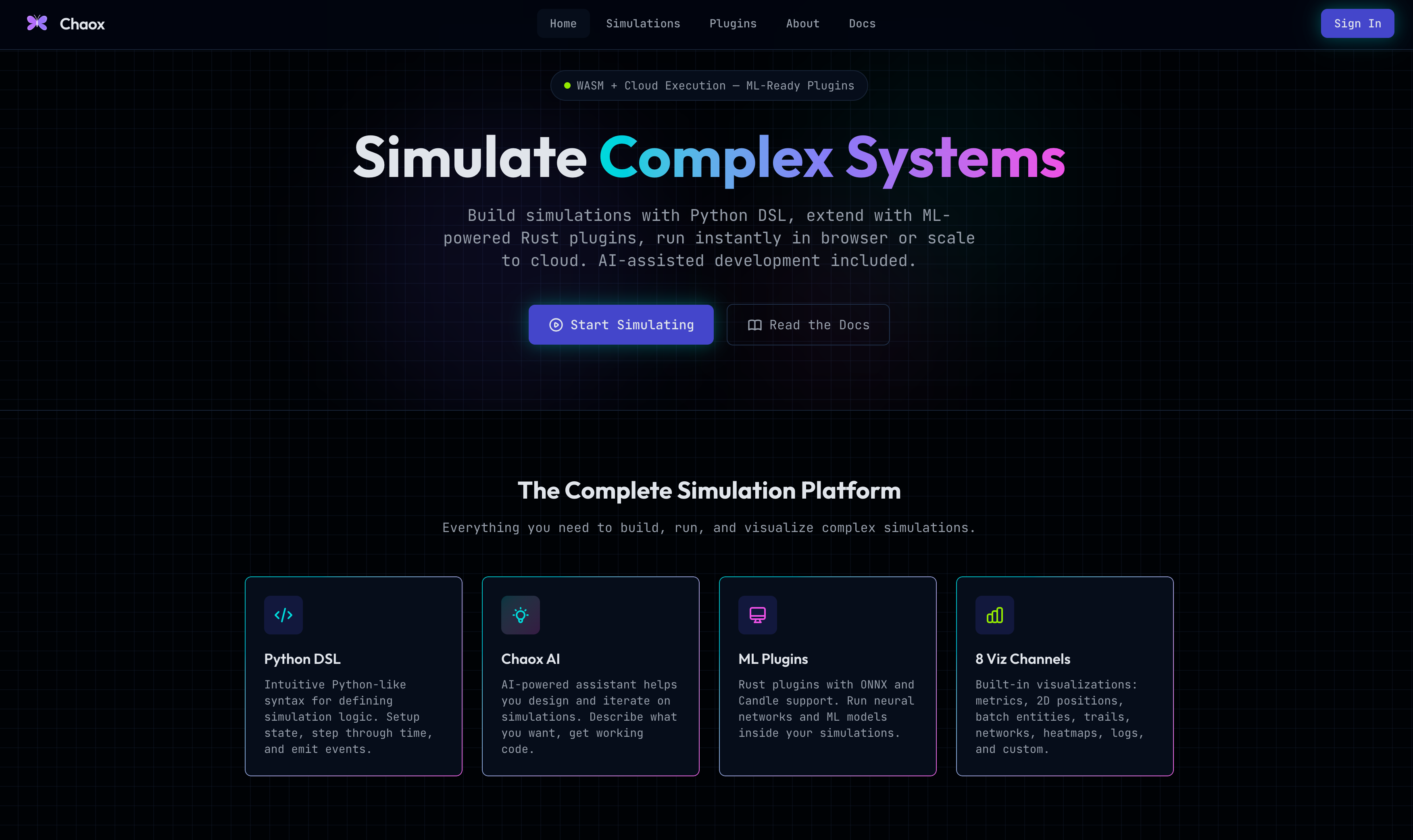
The project is called Chaox. It allows you to create simulations using a custom Python-like DSL (domain-specific language). The DSL is then compiled into an IR (intermediate representation) which is executed inside a custom Rust engine. The simulation may be run directly in the browser using WebAssembly, or on the Chaox cloud. There is a built-in AI assistant which can help you draft simulations (and validates that they compile), as well as usage tracking to monitor cloud and AI spend. Additionally, there is support for custom Rust plugins which can be used within simulations, enabling capabilities like ML inference within simulation time steps using either ONNX or Candle.
The motivation for building this project was a mixture of being fascinated with simulations/complexity theory and a desire to push the limits of AI development tools (like Claude Code) as well as my own understanding of fundamental computer science concepts like language compilation, cloud infrastructure, and performance tradeoffs.
Why Simulations?
Simulations are really cool. I remember seeing simulations of gases and particles in class. They made physics tangible and real in a way that staring at equations didn’t. Later, I discovered several YouTube channels like Emergent Garden and Tom Mohr who make beautiful renderings of simulated particles and emergence which I found captivating.
Simulations are widely used across academia and industry to explore and understand different phenomena. Molecular dynamics simulations help us understand the interactions of biomolecules like proteins. Atmospheric simulations are used regularly to deliver your daily weather report. Other applications include automotive design, traffic modeling, ecology, epidemiology, and economics. Just about every aspect of the world can be explored and better understood through simulations.
Although pervasive across disparate domains, each domain has its own language and toolkit for running these simulations. This makes sense as each use case has unique requirements and constraints necessitating different approaches. However, it presents a problem to someone who wants to generically “run simulations”. There isn’t really a single unified platform that provides an ergonomic and fun way to simulate everything from objects falling with gravity to predator-prey interactions in an ecosystem to economic effects of different tax rates.
The closest thing we have to something that does the above are game engines. Game engines provide primitives that game developers build upon to create all sorts of worlds. Under the hood, the game engine takes care of physics calculations, collisions, and provides efficient implementations for the objects themselves. However, game engines are designed precisely for that: games. I don’t want to build video games, I just want quick, visually compelling simulations that illustrate some phenomena I’m exploring, and ideally it should handle a wide range of phenomena, including computationally intensive scenarios like multiple gravitational bodies interacting.
What is a Simulation?
The first question I needed to answer to even begin working on this project was to clarify what a simulation even is. What do simulations across disparate domains like physics, biology, and economics have in common?
At its core, a simulation is a “movie” of a hypothetical world. It starts in some state, and evolves over time. The movie might be of a ball falling, of traffic flowing, or money changing hands. But the key invariants are the initial state, and the rules governing how that state changes at each time step as a function of the previous state.
Thus, if I wanted to create a generic “simulation platform”, the most important feature is to make it really easy to define an initial state and a step function that governs how the simulation evolves.
Here’s what that looks like:
state = initial_state()
for each time_step:
  state = step(state, dt)
That’s it. That’s a simulation. A starting point, and a rule for what happens next.
What Should a Simulation Platform Do?
Great! I had just discovered that I can write simulations as Python scripts. Python has already been invented, so there’s not much more left for me to do.
But we can probably do a little bit better.
A big component of simulations is the exploration and visualization. You can achieve this in Python using various visualization libraries, but the experience I wanted to create wasn’t a Jupyter notebook-esque code-whatever you want, but rather something more cohesive. So perhaps we could add a standardized way to emit events that could be visualized.
Another requirement is performance. Most real world simulations are still written in Fortran, C, or C++. Simulating non-trivial phenomena with Python would likely run into performance issues. Even Python’s own high-performance libraries like NumPy are implemented in C. Nonetheless, Python is widely used for an important reason: it’s easy to read and write. No one sane writes performance-sensitive systems like neural networks directly in C, they use C indirectly through Python bindings in the form of libraries like PyTorch. So perhaps we could support high-performance simulations that nonetheless allow the user to create simulations with familiar Python syntax.
Finally, the last question was about where to run the simulations. This is where you might have widely different answers depending on what you’re trying to run. Many simple simulations can probably be run just on your local laptop. WebAssembly is a (somewhat) new technology which allows web applications to run code at near native speed directly in your browser. However, some simulations would still require beefier machines. Some might even require GPUs. So, perhaps we could support a dual mode: run simulations on either the browser or in the cloud.
With the above ideas in place, a vision was emerging for what I could create.
We’d build an online platform where you create simulations in Python or a Python-like language. Behind the scenes, the simulations would be compiled into a small binary artifact that could either execute on the cloud or directly on the user’s device with WASM. Compilation would require us to set up a build system, ideally with caching. Supporting cloud runs would require us to set up a scalable cloud run system with usage tracking and billing. The cloud run system would require abundant security measures because we’d be executing untrusted user code on our own infrastructure.
Visualizations would be a first class feature: users can focus on building simulation logic and an integrated visualization system would handle presenting what’s happening in the simulation while the simulation runs.
Of course in addition to a compelling simulation experience, users would expect the basics. They should be able to securely log in to the platform, create and publish simulations, edit simulations, share simulations with collaborators, and run simulations on demand with different parameters either on their browser or on the cloud. Another key feature users would likely expect in 2026 is AI assistance. An integrated AI simulation builder would make the platform much more accessible and seamless to use.
Building the Platform
With this in mind I was ready.
Frontend & Backend
The first task was to decide on the tech stack. My default stack for large web projects has been C#/.NET Core + Angular, and I didn’t see a need to deviate from that for the frontend and backend. I like the structure that both of these frameworks provide. They are both very opinionated in contrast to, for example, React for the frontend and Flask for the backend. For the backend in particular, I think clean architecture with domain-driven design is a good pattern (although there is absolutely such a thing as over engineering with clean architecture). Additionally, C# is a strong, statically typed language. The combination of strong + static typing and predictable patterns is especially helpful as the project size grows. It encourages you (and any coding agents you use) to stick to patterns and conventions that produce a more predictable code base. It’s not that you can’t create bad code in those frameworks: you absolutely can. But the default patterns make it slightly more difficult.
I have standard patterns I use for core services like Auth0 for authentication and authorization, Entity Framework Core for database ORM, Stripe for payments, FluentValidation for API validation, and MediatR for setting up commands and queries. These are industry-standard patterns for web applications on .NET and ones I’ve used regularly in the past, so there wasn’t any reason to change them. Authentication, payments, validation, and database access are solved problems with well-tested solutions, and in my opinion the best thing you can do is pick your stack once, get familiar with it over time, and reserve your creativity for the parts that are unique to a new project. Setting up the basic scaffolding for all this was mostly done with Claude, and is one of the most awesome features of AI agents. In fact, you can even have a template repository with all your preferred patterns implemented that you regularly use as a starting point.
The real meat of the project was in the actual domain and application logic. I had to decide how simulations, plugins, builds, and runs should be represented and handled. Additionally, I had to actually build the DSL compiler, the engine, and services that could handle the builds and runs. Finally, I had to package and deploy it all in a way that would actually handle real simulations. These are all topics we cover in the the subsequent sections.
The Simulation Language
The first major design decision was deciding how the simulations should be written. For this I considered several different options.
The first path I went down was using Python itself. You can run Python directly in the browser using WASM. For cloud runs we could more or less use a default Python image and run the user code in there. This would enable simulations to leverage the full capabilities of Python. Users would be able to directly use libraries like Numpy for high performance operations. I would take care of the infrastructure and the platform and would write a Python library that users could use for integrated visualization within the platform. This was honestly the most practical and straightforward approach, which was why I didn’t continue with it: I wanted to have a bit more fun with this project.
The second option was to somehow compile Python-like user code into C++, and then run the compiled binary. There are several Python to C++ transpilers like Numba which I could have explored to achieve this.
The third option was to compile Python-like user code but into Rust instead of C++.
The fourth option was to compile the user code into an intermediate language (IR). The IR would then be executed inside an engine, which itself could be written in any language.
I found the fourth option most interesting so it’s the one I went with. It would require creating a compiler to transform user simulation code into bytecode which could then be executed inside an engine, which we’d create separately. The engine would have a virtual machine implemented inside which would be responsible for interpreting the user code at runtime. This is the same approach that powers Java with the Java Virtual Machine, and C# with the Common Language Runtime.
Ofcourse, I didn’t want to create an interpreter for all of Python; that would be a bit of a bigger lift than the scope of this project. Instead, we’d specify a subset of Python which we would treat as valid syntax. This would become the DSL (Domain Specific Language) that users use to write simulations.
The DSL would have familiar Python syntax. You’d get variables, functions, if/elif/else, for loops, while loops, lists, dictionaries, f-strings, and the standard arithmetic and boolean operators: the basic operations required for defining simulation logic within the setup and step functions. Users would be required to define the setup function and a step function, as well as set a state.
To support visualizations, the DSL would expose built-in channels that allow the user to emit events. The events could then be captured for later playback in the case of cloud runs, or streamed directly to the browser in the case of WASM runs.
Similar to game engines, there would be handles for common use cases in simulations like creating objects and setting their properties. There would also be out of the box utilities for fields & grids, spatial queries, and other mathematical operations. These would be implemented in the engine so that users can seamlessly leverage them without implementing it themselves.
Below is an example of a simulation written in this DSL for a bouncing ball.
# Bouncing Ball - Entity with explicit physics
# A ball that falls under gravity and bounces off the ground.

def setup(ctx):
    # Create ball entity with physics components
    ball = ctx.entity.create(name="ball")

    ctx.entity.set(entity=ball, component="Position", data={
        "x": 0.0, "y": 100.0, "z": 0.0
    })
    ctx.entity.set(entity=ball, component="Velocity", data={
        "x": 2.0, "y": 0.0, "z": 0.0
    })
    ctx.entity.tag(entity=ball, tag="Ball")

    ctx.state.ball = ball
    ctx.state.bounces = 0
    ctx.state.restitution = 0.8
    log("Ball created at height 100")

def step(ctx, dt):
    ball = ctx.state.ball
    pos = ctx.entity.get(entity=ball, component="Position")
    vel = ctx.entity.get(entity=ball, component="Velocity")

    # Apply gravity explicitly
    gravity = -9.81
    new_vy = vel["y"] + gravity * dt
    new_y = pos["y"] + new_vy * dt
    new_x = pos["x"] + vel["x"] * dt

    # Bounce off ground
    if new_y <= 0:
        new_vy = -new_vy * ctx.state.restitution
        new_y = 0
        ctx.state.bounces = ctx.state.bounces + 1
        log("Bounce!")

    # Update state
    ctx.entity.set(entity=ball, component="Velocity", data={
        "x": vel["x"], "y": new_vy, "z": 0
    })
    ctx.entity.set(entity=ball, component="Position", data={
        "x": new_x, "y": new_y, "z": 0
    })

    # Emit visualization data
    emit("ball_pos", "2DPosition", {
        "point": [new_x, new_y],
        "xMin": -20, "xMax": 100,
        "yMin": 0, "yMax": 120
    })
    emit("height", "metric", {"value": new_y, "units": "m"})
    emit("bounces", "metric", {"value": ctx.state.bounces, "units": "count"})
If you’ve written any Python, this should look pretty familiar. The key difference is the ctx object, which gives you access to an entity system (more on that shortly) and a shared state store. The emit calls at the end are how the simulation communicates with the outside world for visualization. You emit events on named channels with typed payloads, and the frontend knows how to render them.
The entity system is inspired from game engine architecture. Entities are just unique identifiers. Components are bags of data attached to entities. So rather than having a class with position and velocity fields, you have an entity named “ball” with a “Position” component and a “Velocity” component. This is the Entity-Component pattern, and it turns out to be really elegant for simulations because it lets you compose behaviors without inheritance hierarchies. It is worth noting: unlike game engines, we do not have “systems” per-se. For instance, there is no physics system to automatically apply gravity to bodies labeled with a mass. What aspects to include in the engine is something I’m still thinking through, so at present it is fairly minimal, and the evolution of the simulation is for the most part explicitly controlled by the DSL.
The Compiler
The compiler itself is written in Python, which might sound a bit circular: compiling a Python-like DSL using Python. But it makes a lot of sense, and the reason goes back to the choice of making the DSL a constrained subset of Python syntax.
When a compiler processes source code, the first thing it does is parse the text into a data structure called an Abstract Syntax Tree (AST). The AST is a structured representation of the program as opposed to a flat string of characters that make up the source code itself. You basically transform a string representation of the program into a tree where each node represents a program construct like a function definition, an if statement, or an arithmetic operation. Building a lexer, tokenizer, parser, and syntax tree from scratch is a significant amount of work. But because our DSL is close enough to Python syntax, we can use Python’s built-in ast module to do this for free.
The compilation pipeline has three stages.
First, parsing: the source code is parsed into a Python AST as described above.
Second is validation: we examine the tree to make sure the user has created setup and step functions with the right signatures, that they’re only using allowed constructs (no imports, no classes, no lambdas), and that the engine function calls (like ctx.entity.create) match their expected signatures. The compiler validates these calls against a JSON manifest that describes every available engine function, its arguments, and types. If anything is wrong, the user gets a clear error with a line number pointing to the faulty line in the original DSL code.
Third is lowering: the validated AST is transformed into a flat list of low-level instructions: the Intermediate Representation. This is the bytecode that will be interpreted by the VM inside the engine.
If you’ve taken a computer architecture class, you might remember assembly language: the low-level instructions that a CPU actually executes, like “load this value into a register” and “jump to this address if the condition is true.” I had to write assembly by hand in college and it remains one of the more painful memories of my time in Davis.
The IR is conceptually the same thing as assembly, except instead of targeting a physical CPU, it targets our virtual machine in the engine. It has about 30 opcodes: LOAD_CONST, BINOP, JUMP_IF_FALSE, CALL_ENGINE_FN, and so on. Each function in the source code becomes a list of these instructions with virtual registers for intermediate values. Control flow (if/else, loops) gets compiled down to jumps and labels. Function calls become CALL_USER_FN or CALL_ENGINE_FN instructions depending on whether the user is calling one of their own functions or a built in engine function.
The output of the compilation step is a JSON file that looks something like this:
{
  "format_version": "2.0",
  "functions": {
  "setup": {
    "instructions": [
      {"op": "LOAD_ARG", "args": {"index": 0, "dest": 0}},
      {"op": "LOAD_CONST", "args": {"value": "ball", "dest": 1}},
      {"op": "CALL_ENGINE_FN", "args": {"name": "entity.create", "args": 2, "dest": 3}}
      ]
    }
  }
}
The Engine
So far we’ve talked about the DSL (what the user writes) and the compiler (which turns it into IR). The engine is the thing that actually runs the simulation. It takes the IR bytecode and executes it, managing entities, running built-in functions, and emitting events along the way.
The engine is independent of the DSL: we can write it in any language as long as it’s capable of interpreting the bytecode. Before this project, I had written exactly zero Rust. I knew it was fast, I knew it could be compiled to Web Assembly, and I knew it was a modern take on low level programing featuring many niceties that C++ didn’t. These were good enough justifications to try it.
The engine has three main components.
The Entity-Component storage layer manages all the simulation objects. Entities are essentially property bags. Each entity is a HashMap of component names to values. This is a simpler alternative to archetype-based storage you’d find in professional game engines where entities with the same component sets are stored in contiguous memory for cache efficiency.
The Virtual Machine is a register-based bytecode interpreter. It takes the IR JSON, parses it into internal data structures, and executes instructions one by one. Each function call gets its own frame with 256 registers. The VM handles arithmetic, control flow, function calls (both user-defined and engine built-ins), and resource limit enforcement.
The third piece is the WASM harness, which bridges the Rust engine to JavaScript. It exposes functions like chaox_init(ir_json), chaox_setup(), and chaox_step(dt) that the frontend can call through WebAssembly. The harness manages global state, handles initialization, and streams events back to JavaScript as JSON.
The engine exposes about 100 built-in functions to the DSL. Some of them implement the Entity-Component system mentioned above, while others serve as general utilities that users can use within their simulations.
Entity operations (create, destroy, find, get, set, tag).
Math functions (sqrt, sin, cos, clamp, lerp).
Random number generation.
Spatial queries for finding nearby entities.
Steering behaviors for flocking and pathfinding.
Graph operations for network simulations.
Field operations for cellular automata and heatmaps.
Each of these is implemented in Rust as a native function that the VM dispatches to when it encounters a CALL_ENGINE_FN instruction. This is where the performance comes from: your simulation logic might be written in a simple DSL, but the heavy lifting can be done by Rust.
The engine was written almost entirely by Claude. I came into this with zero Rust experience, and my understanding of the language remains elementary. But building the engine turned out to be one of the most fascinating parts of the project, precisely because of how Rust’s design interacts with AI code generation.
Rust’s ownership model and borrow checker are famously challenging, and I was curious about how well an AI assistant would handle them. What I found was that these features actually guided Claude toward correctness. The static type system and borrow checker act as a constant feedback loop: when the generated code was failing to compile, the compiler told you exactly why, and Claude could usually figure out the fix. Ofcourse, compilation does not equal correct behavior, so complementing with a test suite that regularly ran actual IR generated by the compiler was critical.
My role was primarily reviewing the generated code, managing the test suite, and course-correcting the architecture. But I also learned a surprising amount about Rust by reading through the code as it was being generated and asking Claude to justify its decisions. Each explanation was a mini lesson in systems programming.
The Build and Run Pipeline
Getting code from a user’s editor to a running simulation in the browser or on the cloud requires orchestrating several steps.
When running a simulation, the user specifies whether they want it run on the cloud or on WASM. Additionally, they specify any plugins they want to use. Together, this information is used to construct an engine manifest, which defines the capabilities and configuration of the engine for that simulation.
The first stage is the building. We need to build two things: the IR and the engine itself.
To build the IR, the backend sends the DSL source code and manifest to the Compiler service. As mentioned earlier, the Compiler is written in Python, so the deployed compiler service sits behind FastAPI. The compiler validates the code (both syntactically and against the manifest), generates the IR, and uploads the IR JSON to Google Cloud Storage. Compilation of the DSL into IR is pretty fast so it’s synchronous.
To build the engine, the backend sends a build request to the Builder service. The Builder creates a Kubernetes Job that compiles the Rust engine, alongside any plugins and dependencies into a binary and uploads it to GCS alongside the IR. This is asynchronous as it may take a while so the frontend polls for completion.
The Compiler service and Builder service are more or less independent, though they both rely on the manifest. The Compiler uses the manifest to validate the DSL, and the Builder uses the manifest to determine what target to compile the engine to (WASM or amd64) and which plugins and dependencies to add. The simulation-specific behavior lives entirely in the IR, which is loaded into the engine at runtime.
In practice, when a simulation has no plugins, the platform skips the Kubernetes build job entirely and copies a prebuilt binary. When plugins are used, we cache using the hash of the engine manifest as the key.
Once the build completes, one of two things happen:
In the case of WASM runs, the frontend fetches both the IR JSON and the WASM from the backend, which proxies them from GCS. It loads the WASM module in a Web Worker (so it doesn’t block the UI thread), passes in the IR, runs setup, and starts the simulation loop.
In the case of cloud runs, we have the CloudRunner service for running simulations on Google Cloud. It works similarly to the Builder, spinning up a Kubernetes Job to assign to the run. The job downloads the prebuilt binary and IR from GCS, executes the simulation, and writes the resulting events back to GCS for playback in the frontend. Any plugins and their dependencies are baked into the binary at build time, so the CloudRunner doesn’t need to install anything at runtime. For simulations that need additional hardware, cloud runs also support Memory/CPU requests and GPU acceleration. You can request NVIDIA T4, L4, or A100 GPUs, and the CloudRunner handles the Kubernetes node selection and scheduling on GKE.
Both the Builder service and the CloudRunner service are written in Go. Their main job is to programatically interact with Kubernetes, and Go arguably provides the best toolkit to do this (Kubernetes itself is in fact written in Go).
Plugins
We’ve mentioned plugins a few times and this section covers them in depth and why they exist. As discussed earlier, the DSL is intentionally limited: it is a constrained subset of Python. You can’t import arbitrary Python libraries or call system APIs. But sometimes you need capabilities that the DSL or built-in engine functions don’t provide.
Plugins are intended to bridge this gap: to allow users to write arbitrary Rust code that gets compiled into the binary alongside the engine. A plugin is just a Rust function that takes the simulation context and some arguments, and returns a value. Users write the Rust code in the platform’s plugin editor, and when they build a simulation that references that plugin, the Builder compiles it along with the engine. When a simulation is launched, the plugins a user selects from the GUI help construct the manifest which is subsequently used by the Compiler service to validate the DSL and by the Builder service to create the engine binary alongside plugins and dependencies.
Plugin authors can configure which targets their plugin supports: WASM (browser), amd64 (cloud), or both. For cloud-only plugins, plugin authors can also specify minimum hardware requirements: CPU cores, memory, and whether GPU acceleration is needed. Dependencies are selected from a curated list (things like ONNX runtime, Candle, or tokenizers) that get compiled into the binary alongside the engine.
When I initially drew up the plugin system I was imagining that it would be used for custom math intensive logic for simulations which would be impossible or ugly to express in the DSL. The first version of the plugin system was pretty simple and could handle this. However, I then considered the possibility of more advanced use cases, like running ML models within each timestep of the simulations. This might be useful if you, for instance, wanted to simulate a conversation between multiple LLMs over time. This led me to expand the plugin system to include support for dependencies (like Onnx and Candle) and to significantly enhance the build system, as well as allowing GPU runs. Though this use case is now technically possible, it’s not quite as ergonomic as I’d like, and there are additional challenges with running ML models directly within the engine which aren’t fully ironed out.
Events and Visualization
The event system is the bridge between the simulation engine and everything visual. When your DSL code calls emit(”height”, “metric”, {”value”: 42}), the engine buffers that event with a timestamp. After a batch of simulation steps (batched to reduce JavaScript/WASM overhead), the frontend reads the event buffer as JSON and routes events to the appropriate visualization components.
The frontend supports several visualization types.
Metrics render as line charts.
2DPositions render as points on a coordinate grid.
The batch_2d type can render hundreds of entities simultaneously on a canvas.
Network graphs render nodes and edges for modeling contagion or social networks.
Heatmaps render 2D grids for cellular automata or temperature diffusion.
All of the canvas-based renderers support pan and zoom. The visualization components are all Angular standalone components using signals for reactivity. The simulation player has playback controls (play, pause, step, speed adjustment) and discovers channels automatically from the events the simulation emits.
For cloud runs, events aren’t streamed live but rather get saved for later playback. Cloud runs can be extremely long with hundreds of thousands of events so users have the option to downsample during playback.
One of our design goals was to provide a cohesive experience for building simulations, and I think the events based system with predefined channel types does this. You don’t have to worry about UI: you simply emit events and their presentation is handled for you.
The AI Builder
One of the more recent additions was an AI-powered simulation generator. You describe what you want to simulate in natural language, and the platform generates DSL code for you. Under the hood, the backend calls Vertex AI (Gemini) with a system prompt that includes the full engine function manifest, available plugins, and validated examples.
The proposed simulation code then goes through a validation loop. After generating code, the backend sends it to the compiler’s validate endpoint. If there are compilation errors, it feeds the errors back to Gemini and asks it to fix them. This means the AI-generated DSL code is guaranteed to at least compile.
Of course that doesn’t mean it’s guaranteed to run. Since the IR is executed in a virtual machine inside the Rust engine, there’s no way to test for runtime errors without actually running the simulation.
A better way to implement the AI builder would probably be as its own Python service using Google’s Agent Development Kit and to incorporate some sandboxed runtime testing for several timesteps.
Infrastructure
The final task was tying everything together with the infrastructure to actually run it all. From my four years at work managing infrastructure across AWS and Azure, I knew that infrastructure-as-code was non-negotiable. I like Terraform and slightly missed Google Cloud, so I went ahead with those. I asked Claude to create the Terraform configurations for independent staging and production networks and Kubernetes clusters, as well as other requisite infrastructure like the PostgreSQL database. The setup it created looked pretty familiar to what I’ve been staring at for the previous several years, except that it used Kustomize overlays as opposed to Helm charts and the Terraform K8s provider which is what I would’ve been more inclined to choose out of habit. However, I was pleasantly surprised with the Kustomize setup and decided to keep it.
The end result is a single GKE Autopilot cluster per environment (staging and production) running all services in a shared namespace. The frontend, backend, Compiler service, Builder service, and CloudRunner service all run as long-lived deployments behind a Gateway API that routes traffic by hostname and path. The Builder and CloudRunner spin up ephemeral Kubernetes Jobs in separate namespaces for engine builds and cloud simulation runs respectively. PostgreSQL lives in Cloud SQL, and all build artifacts (i.e. the IR and binaries) flow through Google Cloud Storage. Auth0 handles authentication, Stripe handles payments, and Vertex AI powers the AI builder.
With the infrastructure in place, the full loop was finally working end to end. A user writes DSL code in the browser, the compiler validates and generates IR, the builder produces a WASM binary (or skips to a cached one), the frontend loads both into a Web Worker, and the Rust engine runs the simulation with events streaming to the visualization layer. For Cloud Runs, the CloudRunner kicks off a native binary on Kubernetes with the specified resource requests. All of it is managed by Terraform, deployed with Kustomize, and monitored via structured logging and correlation IDs flowing across service boundaries.
Reflections
Chaox is by no means a completed project: it is very much a work in progress and I’ll be continuing to mess around with it in my free time over the coming year. Its primary purpose is for my own learning and exploration, and there are a number of gaps in functionality and robustness to make it actually useful (assuming that anyone even finds random simulations useful). But I wanted to write this article to take a step back and reflect on what it’s been like to build it so far.
My biggest takeaway is that AI coding assistants are force multipliers unlike anything we have seen before.
The project ended up spanning six services across five different programming languages (C#, Python, Rust, Go, TypeScript), Terraform + Google Cloud infrastructure, Kubernetes manifests, and Docker configurations. It involved creating a custom language and compiler, a bytecode virtual machine, and supporting runs across multiple execution environments including WebAssembly and cloud with GPU acceleration. It required building an entire simulation engine with a (pseduo) entity-component system, 100+ built-in functions, and a real-time visualization layer with multiple rendering modes. It includes authentication, team collaboration with access control, public user and team profiles, versioned simulations and plugins, custom Rust plugin authoring with configurable targets and dependencies, secure payments via Stripe, AI-powered code generation with compile-time validation, and usage tracking for on-demand billing.
And all of this was done by one person over the course of a few weekends and a holiday break. This would have been unimaginable just this time last year. Even though I had studied and encountered all of these concepts before between classes and at work, my depth of experience and capabilities were nowhere near being able to handle each of them without any assistance. My primary work in my professional career has been on backend development and cloud infrastructure, so I was very comfortable with those aspects. However, even if I was also really good at Rust, really good at frontend design, and really well versed in compilers, the sheer scale of this project would have required months of full time work.
With that said, I would not have been able to build this project, at least nearly as readily, if I didn’t have the experience and background that I do. I knew immediately going into this project what the general deployment architecture should look like. I knew the basics of compilers and interpreters, and the major difference and tradeoffs between several different languages. I knew the benefits of infrastructure as code and patterns like clean architecture and domain driven design. I knew about Stripe and OIDC auth providers and about how users and accounts should be modeled within my own application. I knew the importance of keeping components decoupled and could recognize when something Claude was proposing wasn’t in line with the direction I had in mind.
These aren’t things you learn overnight. They’re the accumulated intuition from learning about and building software over time. Practices that helped were the same ones that help in any project with or without AI. Among others, these include clean architectural patterns, infrastructure as code, well defined schemas and boundaries, extensive test suites, and good documentation.
The areas in which I have the least experience are the ones that remain the most opaque to me. I was very deliberate with the cloud infrastructure setup and the domain driven design for the backend, but much less so for the implementation of the Rust engine. Unless I was specifically curious about some detail of how the engine worked, I treated it as a black box, so long as it could run the IR.
Systems thinking mattered enormously. The hardest parts of this project weren’t writing any individual service, it was understanding how they all fit together. How does adding a new visualization channel in the frontend impact the DSL and compiler? How do I keep the engine and DSL synchronized as I build out capabilities in each? How does the build pipeline’s async nature affect the frontend’s UX? How should runtime errors get propagated to the user? What should happen when a user wants to run with WASM but a plugin requires a GPU? How do we reconcile the state on the backend and database if the callback at the end of the CloudRunner job transiently fails or if the Pod gets evicted? What should happen if a users kicks off a CloudRun but they are low in credits? To answer these questions, you have to hold the whole system in your head and reason about the interactions across components.
Product thinking mattered too. Every feature I built started with a question about what the user experience should be. The AI builder’s validation loop exists because I don’t want the chatbot feeding me incorrect simulation code. The prebuilt binary caching exists because I don’t want to wait minutes for every build. The event-driven visualization exists because I wanted all my simulations to seamlessly have cool charts and graphics.
A final takeaway is that the bottleneck has shifted. It used to be that translating ideas into working code was the hard part — the typing, the debugging, the boilerplate, the configuration. Now that’s fast. The hard part is having ideas worth building, understanding the system enough to know how each component should fit together, and understanding the product enough to make good design decisions. These are areas in which I am working on improving, and Chaox has been a fun exercise in practicing them.
I think the big takeaway of this being less about the project specifically and more about how to better use these agentic tools as force multipliers is on the head. It will be interesting to see how the industry evolved to adopt these tools, and what best practices around them will shape to be.